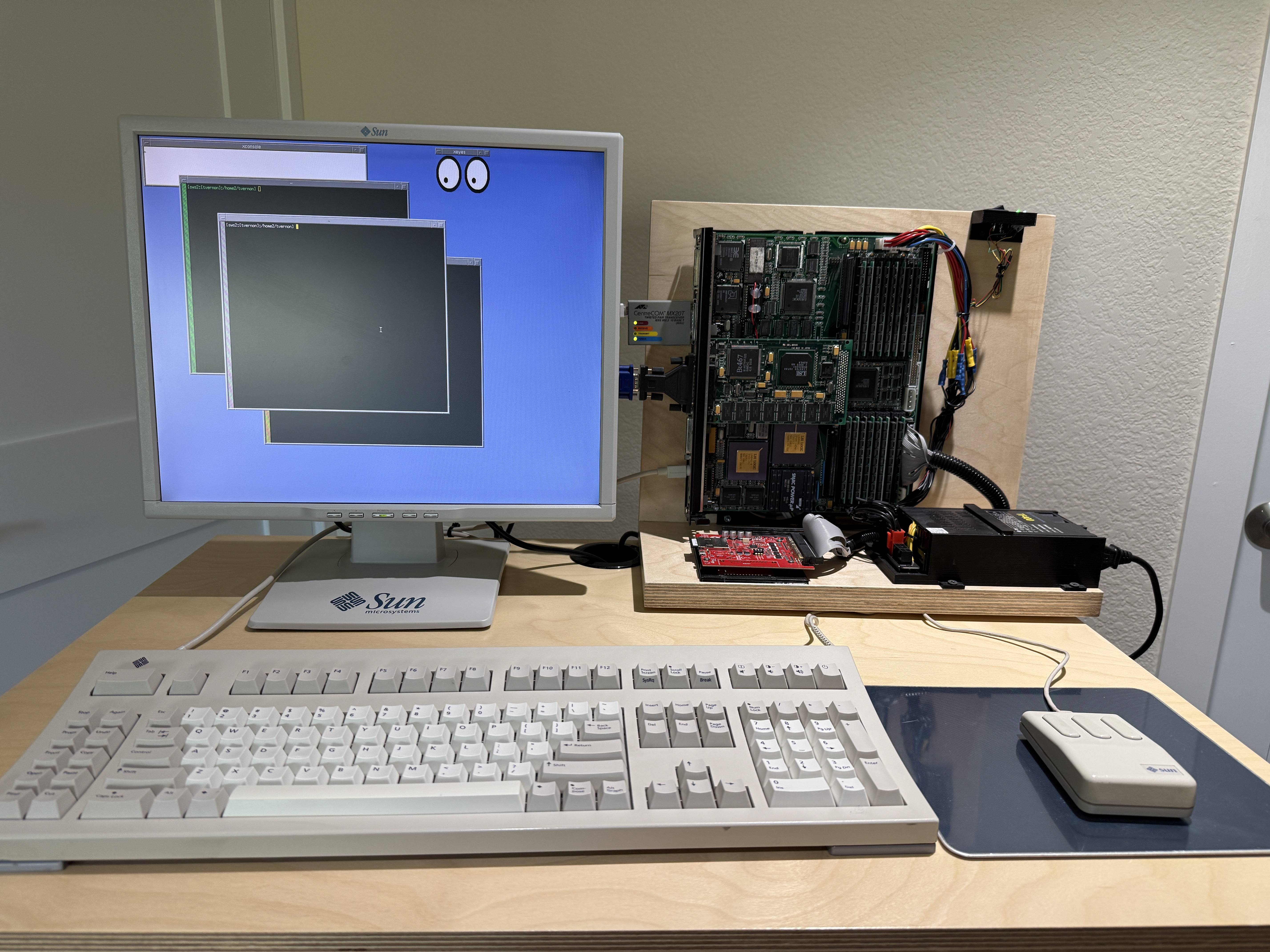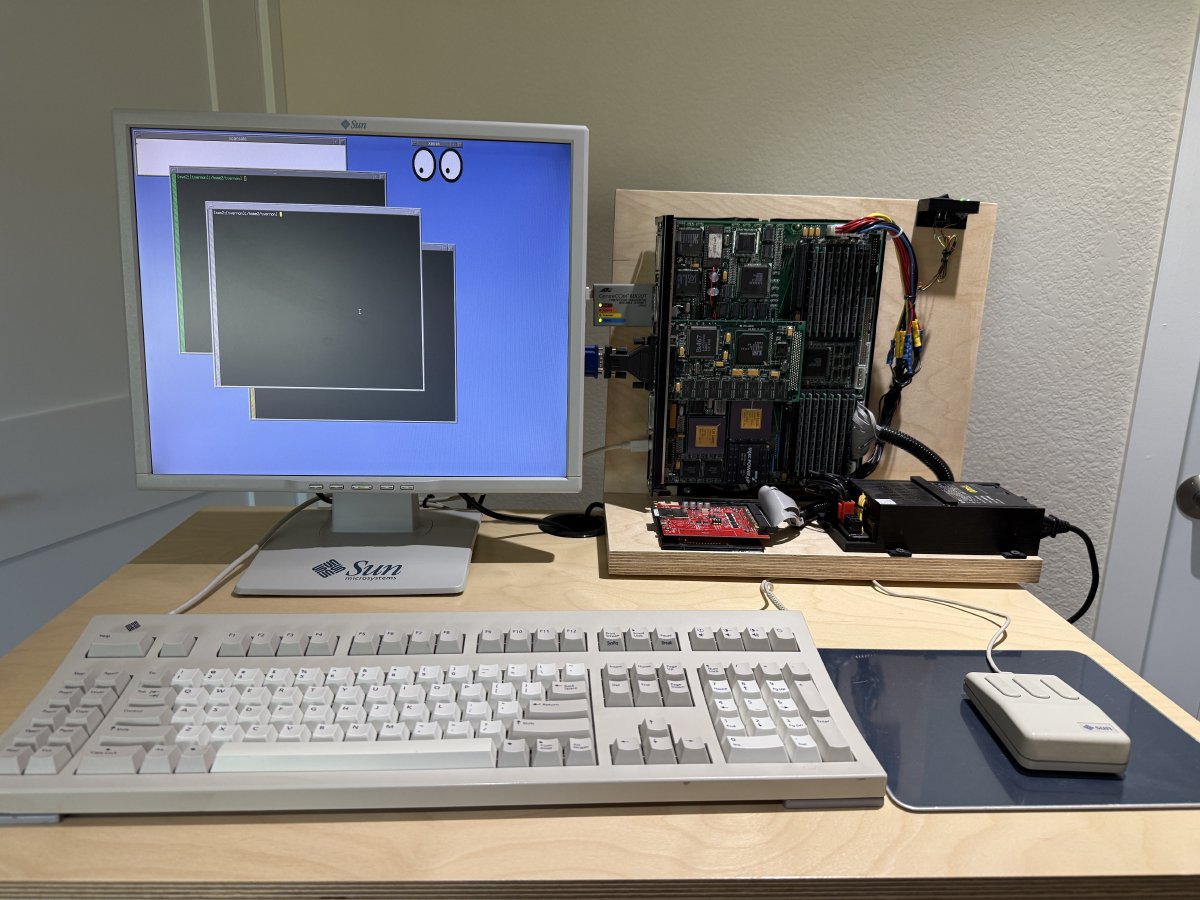
The SuperWorkstation SW-40S represents an interesting chapter in Sun-compatible workstation history. During the late 1980s and early 1990s, several third-party manufacturers produced Sun-compatible systems that could run SunOS and later Solaris. These machines often offered performance improvements or cost savings compared to official Sun hardware.
This particular SW-40S has had an unusual journey—from a university upgrade board stuffed inside a SPARCstation 1 chassis, to a bare motherboard without a home, to the custom-built display piece and SBus test bench it is today.
Origin Story
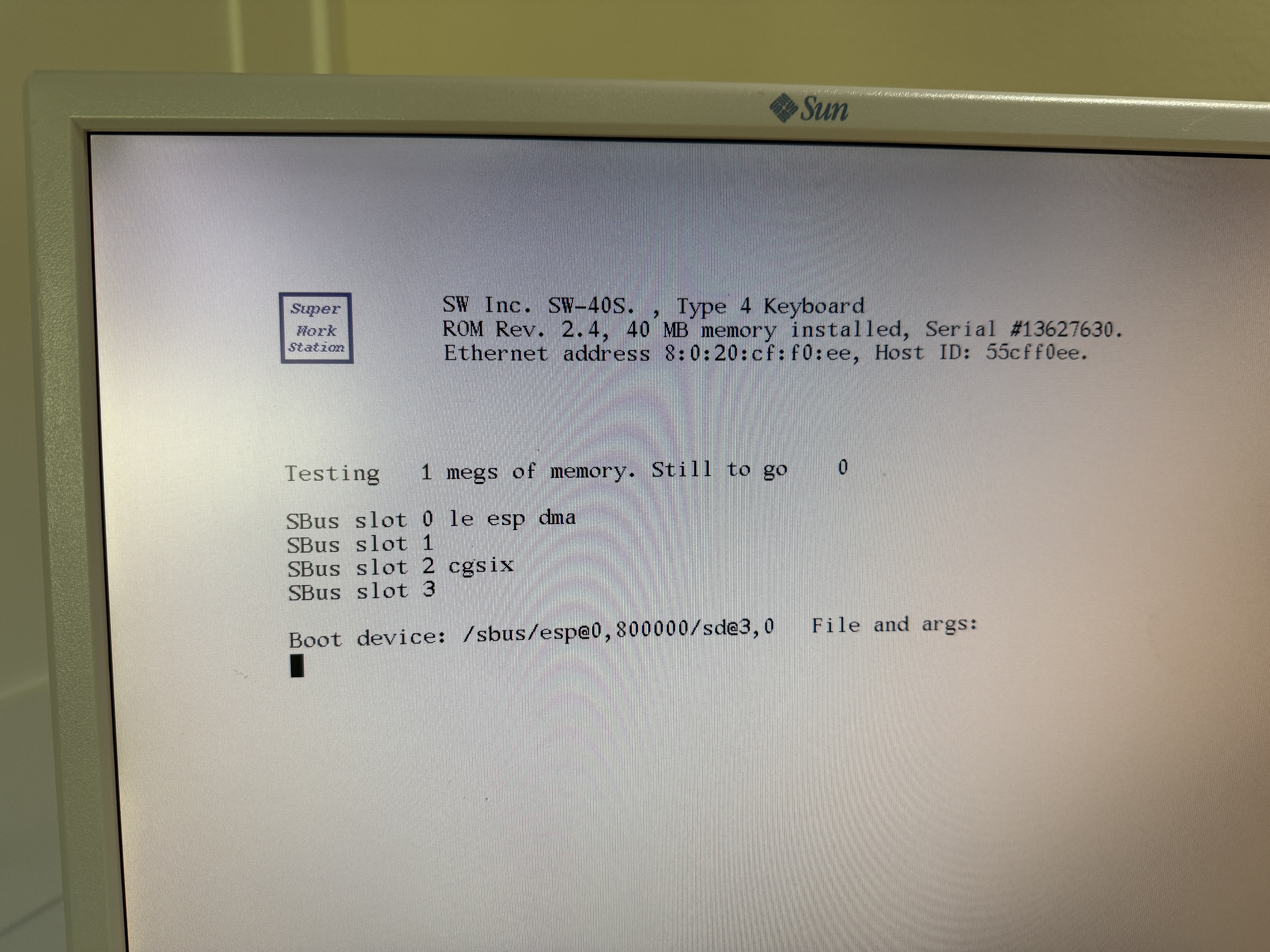
I originally purchased what I thought was a SPARCstation 1 on eBay. The machine had spent its working life at Purdue University—a gold asset tag was still attached to the chassis. When I opened it up, I discovered the motherboard inside wasn’t a SPARCstation 1 at all. It was a SuperWorkstation SW-40S, a third-party SPARCstation 2 clone board. Someone at Purdue had upgraded the internals at some point, which makes perfect sense—a university computing lab would be a natural candidate for a motherboard upgrade to get more compute power out of existing hardware.
I ran the machine that way for years. It worked great, but I really wanted a genuine SPARCstation 1. When an actual SS1 motherboard finally came up on eBay, I bought it, restored it with a new timekeeper and IDPROM reprogramming, and installed it in the original Purdue chassis—returning the whole assembly into a real SPARCstation 1 for the first time in probably decades. You can see that machine in the SPARCstation 1 article.
That left me with the SW-40S clone board and no box to put it in.
The Clone Market
Sun’s decision to license the SPARC architecture created a thriving ecosystem of compatible hardware. Companies like Solbourne, Tatung, and others produced SPARC-based systems that could run SunOS and Solaris. The SuperWorkstation line was part of this broader clone market, offering upgrade paths for organizations that had already invested in Sun hardware.
The SW-40S is particularly interesting because it bridges two generations of SPARCstation. By upgrading the CPU and related components while retaining compatibility with the original chassis and peripheral connections, it offered SPARCstation 2 performance in a familiar package. This kind of in-place upgrade was cost-effective for organizations with large installed bases of SPARCstation 1 systems.
Building a Display Stand
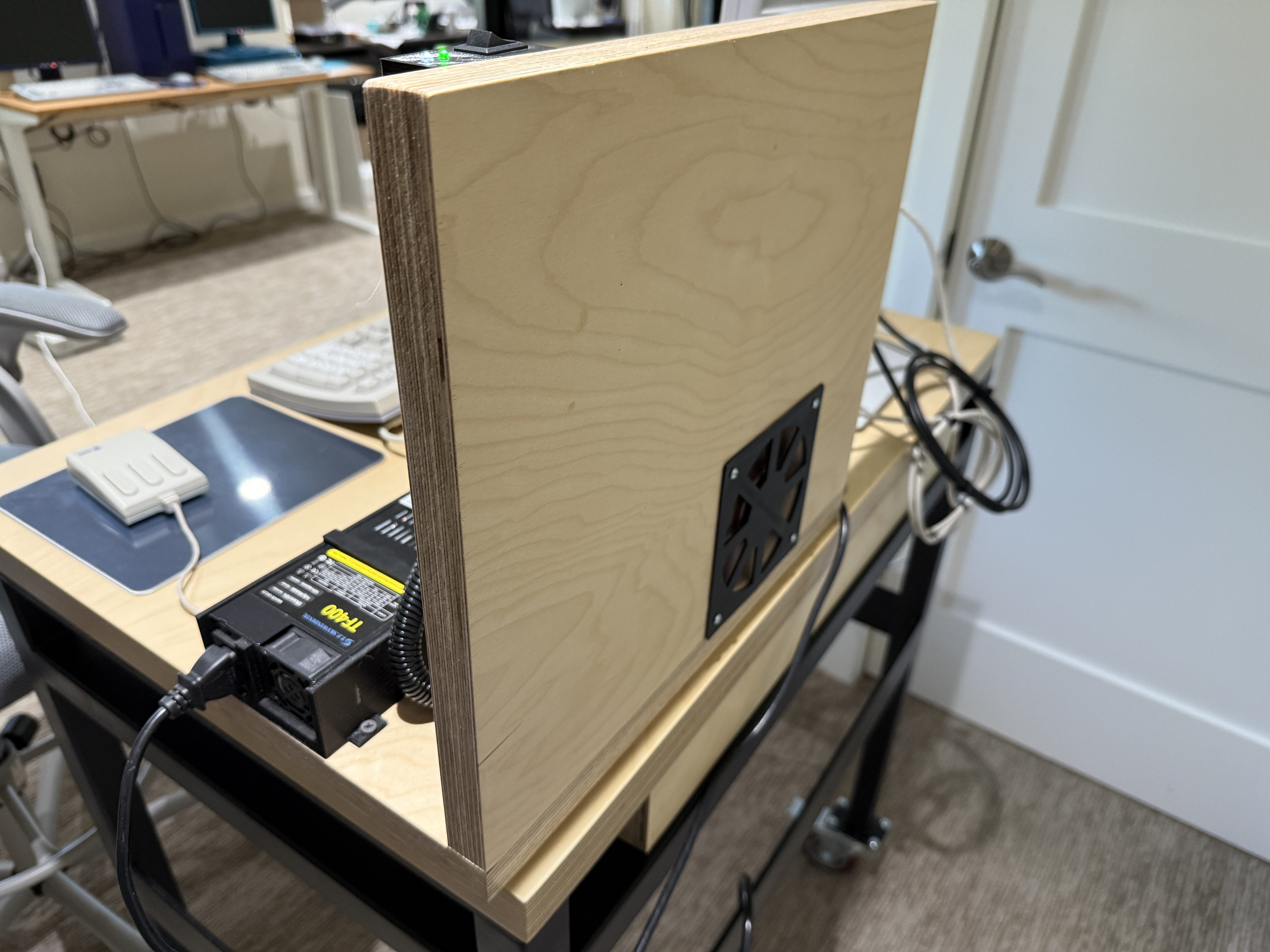
Rather than hunt for another SS1 chassis to house the clone board, I decided to turn it into something more interesting—part art piece, part functional SBus test bench. I wanted to showcase the board itself while also creating a convenient platform for testing SBus cards without having to completely disassemble a machine every time.
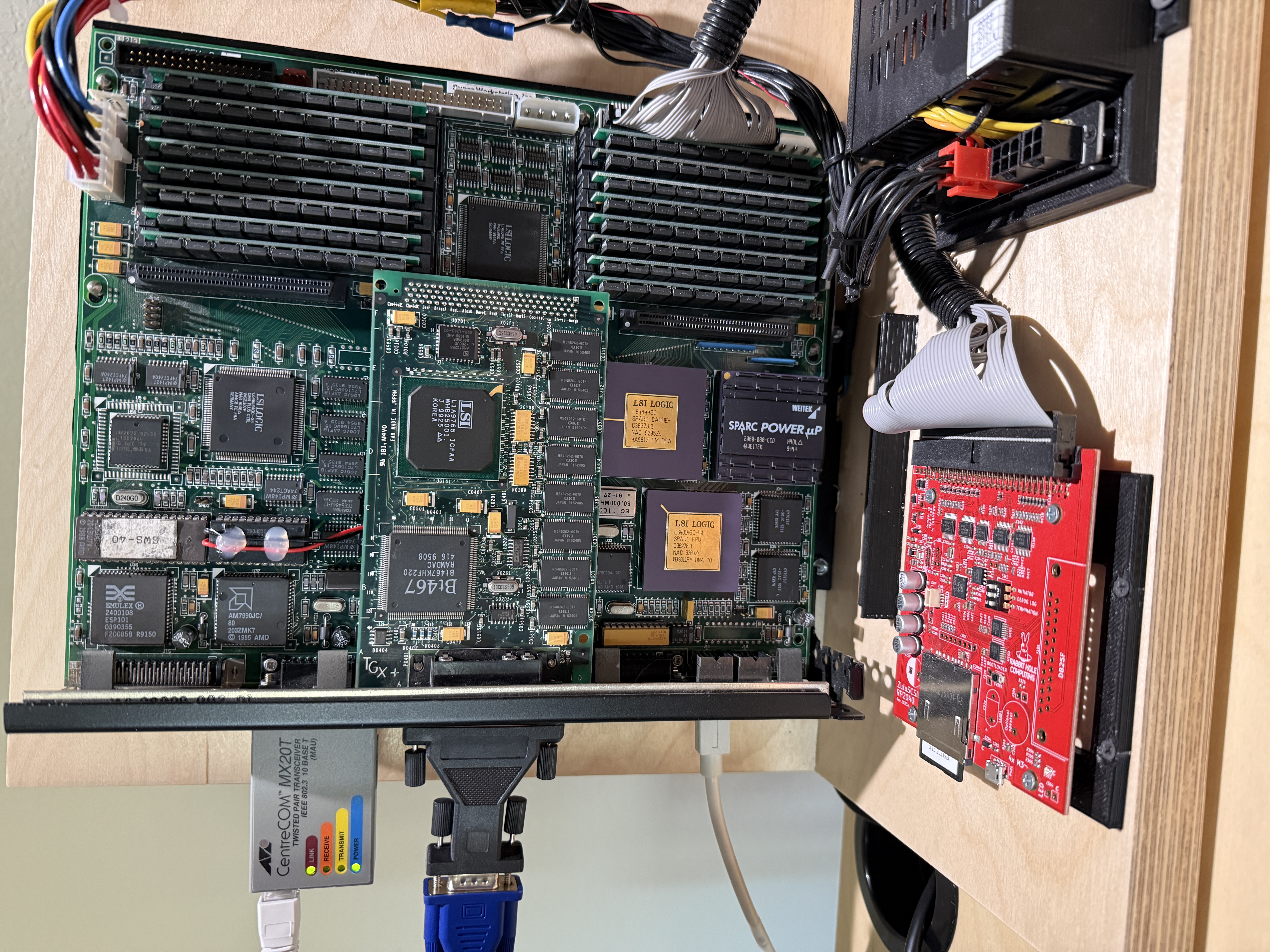
I built a wood stand from birch plywood that holds the board upright and on display. I took the sheet metal bottom from an old SPARCstation 1 chassis, cut it down to size, and painted it to serve as the mounting surface for the board. On the back side of the stand I cut a hole and mounted a large fan to keep airflow moving across the board.
Weitek PowerUp and Cooling
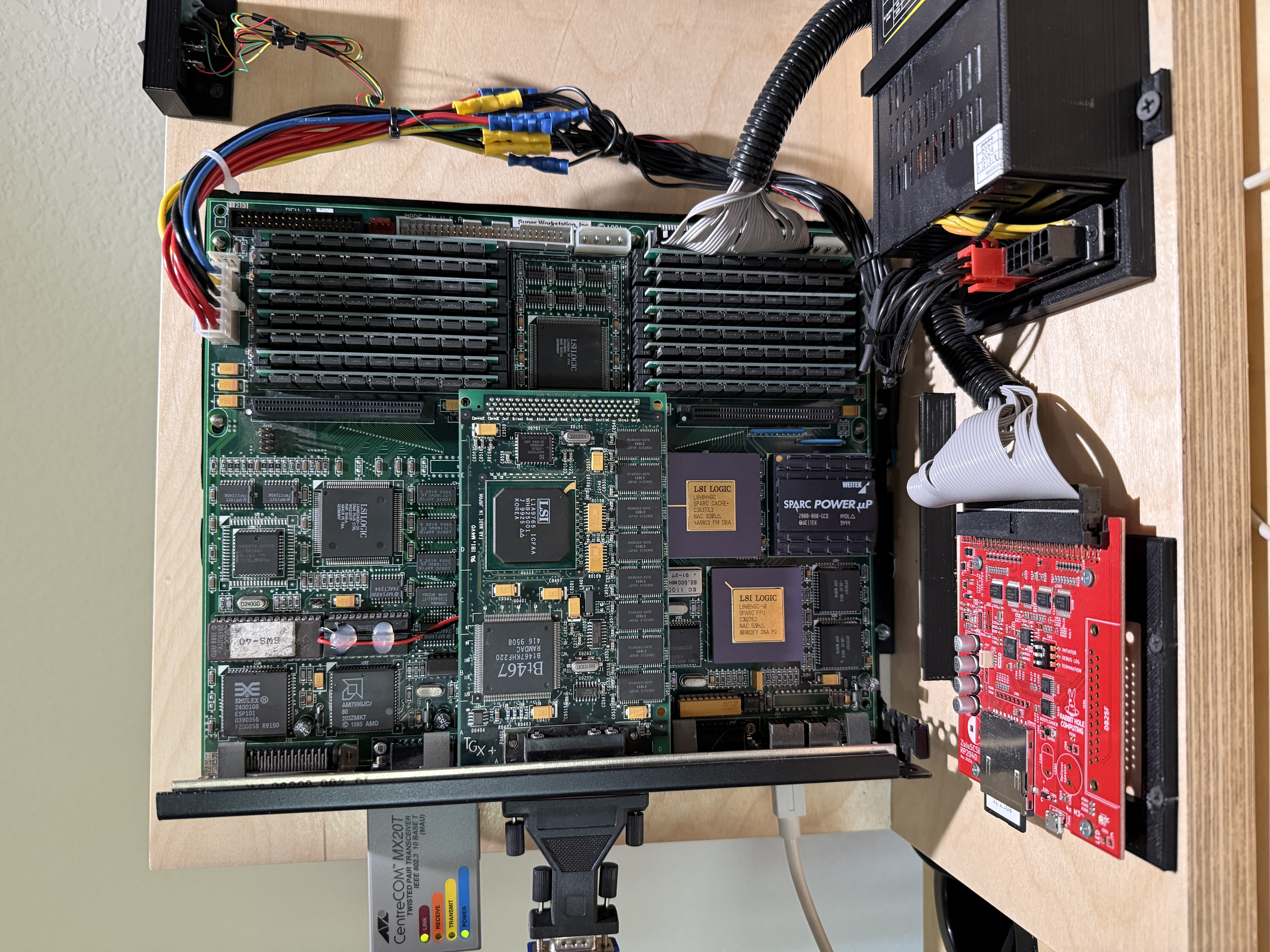
I had also come across a Weitek PowerUp processor, the same clock-doubling upgrade chip described in my SPARCstation 2 article. These chips run the internals at 80 MHz while keeping the 40 MHz bus interface, and they run hot. I installed it on the clone board and 3D printed a diverter that directs air from the rear fan up and over the chip, while the fan also cools the board from the back side through the cutout.
Power and Storage
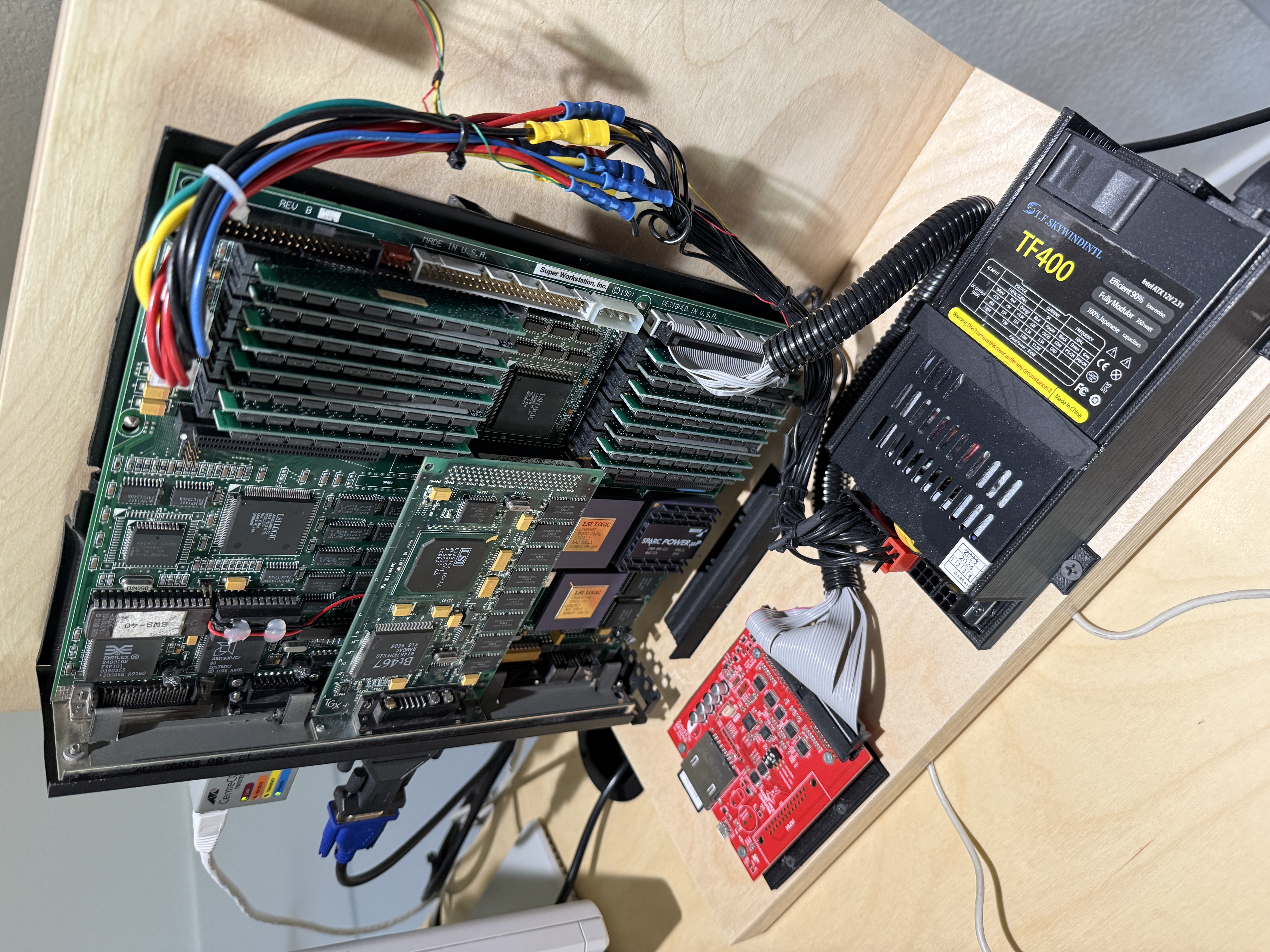
For power I used one of the TF400 1U Mini ATX supplies I had acquired for the IPX power supply replacement project. I carefully wired it to the SW-40S board’s power header and mounted a toggle switch at the top of the stand. A white indicator light shows that the PSU has AC power, and the toggle switch turns the supply on to power the board.
Storage is a ZuluSCSI RP2040 board running my SPARCstation 2 SunOS 4.1.4 boot image. With the board mounted vertically and all the connections exposed, swapping SBus cards or changing the ZuluSCSI SD card is trivial—no lid to remove, no screws to undo.
The Result
I think it makes a nice homage to the SPARC era. It’s a fun machine that always draws attention when people come by. The exposed board, the gold Weitek PowerUp chip, the visible wiring—it tells a story about a time when workstation computing was serious engineering, and when third-party companies built entire businesses around making Sun hardware faster and cheaper.
As a practical matter, it’s also the most convenient SBus test bench I have. Any time I acquire a new framebuffer or SBus card, this is the machine I reach for first.
Specifications
| Attribute | Value |
|---|---|
| Release Date | April 1989-90 (approx.) |
| Model | SW-40S / (reports 4/75) / Serial# 13627630 |
| CPU | Weitek PowerUp @ 80 MHz |
| Architecture | Sun4c / OBP 2.4 |
| RAM | 40Mb |
| OS | SunOS 4.1.4 |
| Graphics | SBus: CG6 TGX+ Double Buffer (4M mappable) 1280x1024@76 |
| Environment | OpenWindows 3.0_414 / X11R5 / X11R6 / Motif 1.2 |
| Disk Image | 2.1 GB SCSI / ZuluSCSI RP2040 |
Useful Documents
SPARCstation 1+ Field Service Manual (PDF) - Sun’s official field service manual for the SPARCstation 1+. Covers diagnostics, component identification, and repair procedures applicable to SPARCstation 1 series systems.
History of SPARC Clones - Overview of the third-party SPARC-compatible workstation market.
cmacs: Cross-Platform Terminal Editor - A portable editor built on the same C++ library used for the compile time benchmarks.
Trust Me, You Want SunOS 4.1.4 on Your Older Sun Boxes - Why SunOS 4.1.4 still feels faster than Solaris 2.6 on classic SPARCstations — the BSD vs SVR4 STREAMS story behind the difference.
Getting SunOS 4.1.4 Working - Installation and configuration guide for SunOS 4.1.4 on Sun4c systems.
SunOS DNS without NIS - Patching libc to enable DNS name resolution without NIS on SunOS 4.1.x.
Fixing Corrupted TOD Clock on SunOS 4.1.4 - Resolving time-of-day clock errors caused by dates beyond the original epoch on SunOS.
Resetting IDPROM on Sun Workstations - Procedure for reprogramming the IDPROM after a timekeeper chip replacement.
Interactive Sun IDPROM Reset Tool - Pick your model and copy the exact
mkpcommands for theokprompt — fresh MAC address generated automatically.Locked Out: Clearing the Firmware Password - Bypassing a phantom firmware password caused by corrupt NVRAM in the timekeeper chip.
M48T02 Timekeeper External Battery Mod - Adding an external battery to a dead timekeeper chip to restore NVRAM and clock function.
Last OBP Firmware Versions - Reference table of the final OpenBoot PROM versions available for each Sun workstation.
Burning a New SPARCstation 1 PROM - Walkthrough of burning an OBP PROM using a MiniPRO TL866II Plus programmer.
Sun Boot ROM and Firmware Images - Downloadable OBP and firmware images for Sun workstations and servers.
Sun Hardware Reference Guide - Comprehensive reference for Sun workstation hardware specifications and part numbers.
ZuluSCSI Overview - Overview of ZuluSCSI SCSI emulator boards used across the collection.
ZuluSCSI Disk Images - Setup and configuration of ZuluSCSI disk images for vintage workstations.
Disk Image
A bootable SunOS 4.1.4 disk image is available for this system, configured for use with ZuluSCSI SCSI emulators.
Download: HD3_SunOS_4.1.4_SWS_PROTO_512.img.gz
SHA1: ef78faba0ccc307ed8f12d2c1762f4cd674c9532
For setup instructions, see the ZuluSCSI Disk Images overview. For image-specific notes (patched DNS-without-NIS libc, Motif 1.2 + mwm, X11R5/R6/OpenWindows, preinstalled GNU tools and gcc 2.8.1), see the SunOS 4.1.4 Disk Image Notes. Before booting, verify the SHA1 — see Image Security and Checksums.
Gallery